

Important Information for all Pitt Worx users:
As part of our continued effort to enhance your experience in Pitt Worx, following a brief scheduled outage from Oct. 24-26, we will launch a new set of updates to our Pitt Worx User Interface (UI) on Monday, Oct. 27.
Like our previous updates in June 2025, these updates to Oracle's new user interface, code-named "Redwood," will bring a more modern and streamlined design to several processes in Pitt Worx, while maintaining all the core functionality you’re familiar with.
With this UI upgrade, Oracle is also changing some navigation options from tiles within Pitt Worx modules, in favor of "QUICK ACTIONS" which appear in the left-hand menu of Pitt Worx, as shown in the following screenshot:
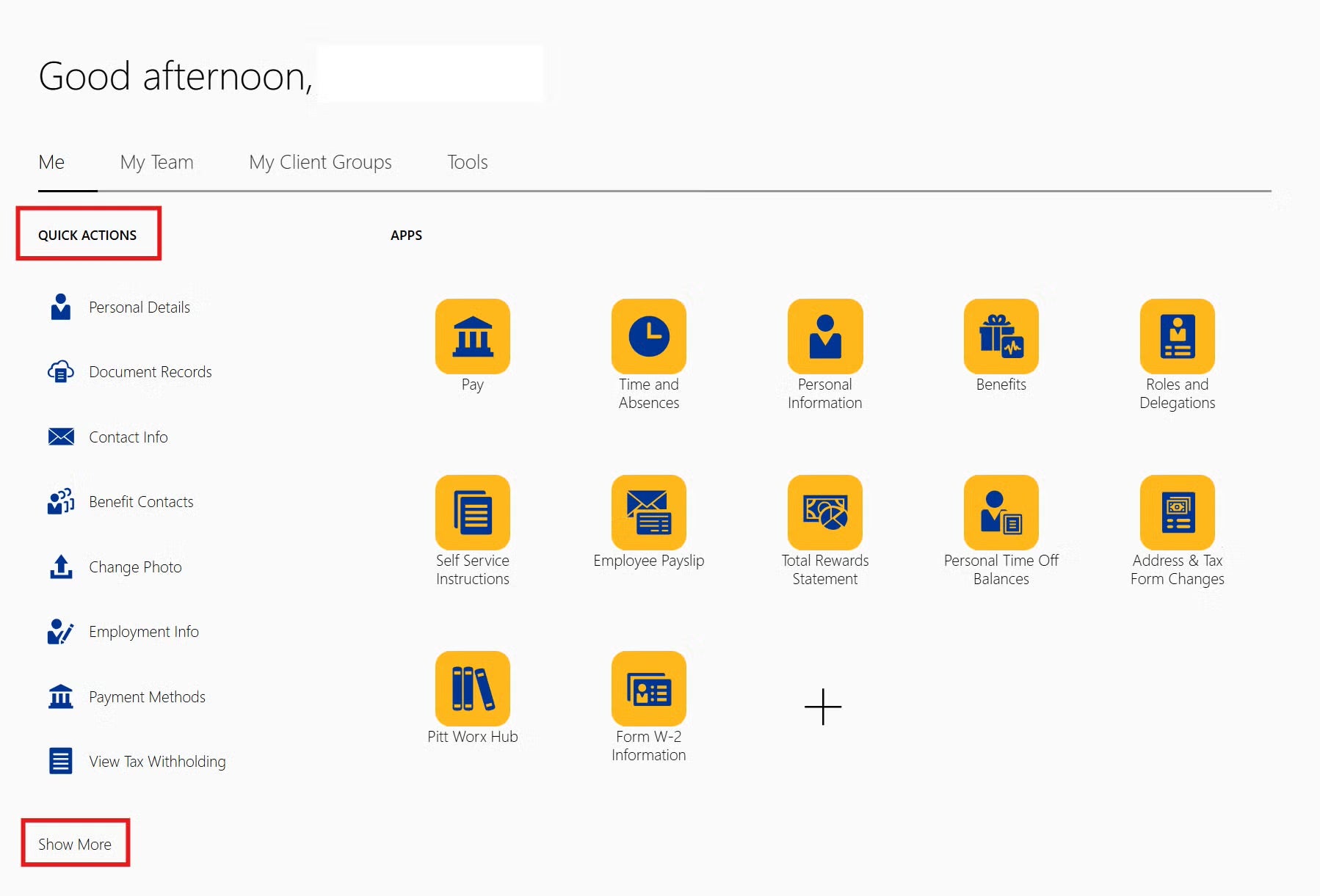
If you can't find an icon that you previously used to access a Pitt Worx action, please look in the QUICK ACTIONS menu (you may need to click on the "Show More" option) to find what you are looking for.
Here is a listing of the Pitt Worx quick actions that will be changed as a result of these upgrades on Oct. 27:
Employee Self-Service Actions:
- Personal Details
- Editing Disability Information
- Editing Ethnicity
- Editing Gender
- Editing Veteran Self-Identification Status
- Employment Info (view-only)
- My Compensation (view-only)
- Pay
- Editing Personal Payment Information (Direct Deposit)
- View Tax Withholding
- Benefits:
- Enroll Now (Update Enrollments)
- Pending Actions
- Enrollment Summary
- Additional Benefits Outside of Pitt Worx
- Before You Enroll
- Document Records
- Primary Care Physicians
Department/RC/SO Administrator Actions:
- Change Salary
- Direct Reports
Reference Guides Available
Updated reference guides illustrating the updated user interface for these actions will be available on the Pitt Worx hub on SharePoint (through Pitt Passport) on Oct. 27.
If you have any questions or need assistance, please submit an online inquiry.
HCM Solutions Team
Office of Human Resources
Pitt Digital